Preventing Duplicate Orders and Payment Failures at Checkout

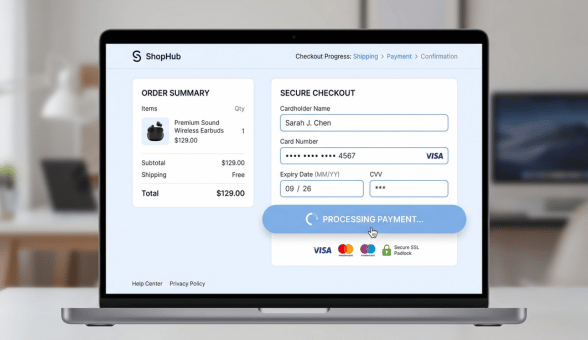
A customer clicks pay, the page hangs, and out of frustration they click it again. Moments later, two orders and two charges land on their card instead of one. This scenario, and several close variants of it, accounts for a surprising share of the support tickets and manual refunds that eat into a growing store’s operational time.
Why Duplicate Orders Happen at Checkout
Duplicate orders trace back to a small set of predictable causes: slow payment gateway response times that leave customers uncertain whether their click registered, browser back-button navigation after a payment attempt, and network interruptions that leave a transaction in an ambiguous state where neither the customer nor the system is sure whether it succeeded. Each of these calls for a slightly different technical fix.
Common Causes and Fixes
| Cause | What Happens | Fix |
| Slow gateway response | Customer clicks pay again out of uncertainty | Disable button after first click, show loading state |
| Back button after payment | Customer resubmits the order form | Redirect to a confirmation page, not the form |
| Network interruption mid-transaction | Ambiguous payment state | Idempotency keys on payment requests |
Disabling the Submit Button Correctly
The simplest and most immediately effective fix is disabling the payment submission button the moment it is clicked, paired with a clear loading indicator so the customer understands their click registered and the transaction is processing. Without this, a customer facing even a two or three second delay will often click again, assuming the first click failed, which is exactly the behavior that triggers duplicate submissions in checkout flows lacking this basic safeguard.
Using Idempotency Keys for True Reliability
Frontend safeguards like disabling a button help but do not fully solve the problem, since network issues or multiple browser tabs can still trigger duplicate requests server-side. Idempotency keys, a unique identifier generated for each checkout attempt and sent with the payment request, let the payment gateway recognize and reject a duplicate request carrying the same key, even if the frontend safeguard somehow fails or is bypassed. Most modern payment gateways support this natively, and implementing it closes the reliability gap that button-disabling alone cannot fully cover.
Handling the Post-Payment Redirect Correctly
A customer landing back on the checkout form after completing payment, whether by clicking back or refreshing the page, is a common trigger for accidental resubmission. Redirecting successfully to a dedicated order confirmation page, rather than leaving the checkout form as the page a browser back button returns to, removes this specific failure path entirely.
A Practical Implementation Checklist
- Disable the payment button immediately on click, with a visible loading state
- Implement idempotency keys on payment gateway requests to catch duplicates the frontend safeguard misses
- Redirect to a dedicated confirmation page after successful payment, not back to the checkout form
- Set up server-side duplicate order detection as a final safety net, flagging orders with identical customer and cart details within a short time window
Fix your checkout reliability
Measuring Whether the Fixes Are Working
Tracking duplicate order rate and payment-related support ticket volume before and after implementing these fixes gives a clear, measurable signal of impact, rather than relying on anecdotal impressions of whether checkout feels more reliable. A meaningful drop in both metrics confirms the fixes are addressing the actual root causes rather than just the most visible symptoms.
Boomimart’s D2C ecommerce operations resources cover idempotency key implementation across common gateway providers, which is worth reviewing directly against your current checkout flow before assuming duplicate orders are simply an unavoidable cost of doing business online.