Payment Reconciliation for Growing D2C Brands: A Practical Guide

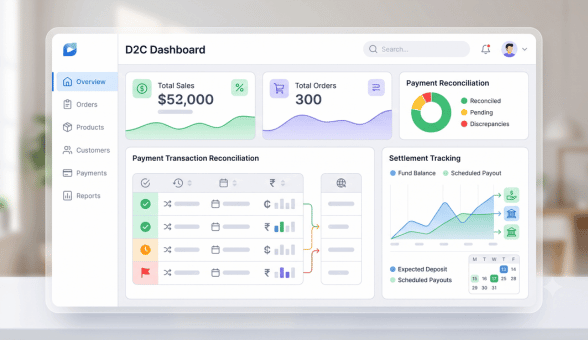
Payment reconciliation, matching what your payment gateway reports against what actually lands in your bank account, sounds like a purely accounting concern until a growing D2C brand discovers a mismatch that’s gone unnoticed for months. As transaction volume grows, manual reconciliation gets harder to sustain accurately, and the gap between gateway records and actual settlements becomes both easier to miss and more expensive when it happens.
Why Reconciliation Gaps Happen
| Cause | How It Creates a Mismatch |
|---|---|
| Gateway fees deducted before settlement | Bank deposit is lower than the order total, easy to mistake for a shortfall |
| Failed or reversed transactions | Order recorded as paid in your system but the payment later failed or reversed |
| Refunds processed outside standard flow | Manual refunds not reflected consistently across systems |
| Multi-day settlement delays | Transactions appear in the gateway report before they actually settle to your bank |
Building a Reconciliation Process That Scales
Manual reconciliation, checking transactions one by one in a spreadsheet, works fine at low volume but breaks down predictably as order count grows, both because it becomes more time consuming and because the odds of a missed discrepancy rise with every additional transaction. A structured process, even a simple one, catches discrepancies faster and more reliably than an ad hoc review whenever something looks off.
Core Steps in a Reliable Reconciliation Workflow
- Pull gateway settlement reports on a fixed schedule, daily or weekly depending on transaction volume, rather than only when something seems wrong.
- Match against your order management system by transaction ID, flagging any order without a corresponding settlement record.
- Review flagged discrepancies promptly, since gateway support windows for disputing an error typically have a limited time frame.
- Track fee changes over time, since gateway fee structures can shift, and an unnoticed fee increase looks identical to a reconciliation error until investigated.
When to Automate Reconciliation
| Transaction Volume | Recommended Approach |
|---|---|
| Low volume, early stage | Manual spreadsheet reconciliation, weekly review is usually sufficient |
| Growing, multiple hundred orders monthly | Semi-automated matching using exported reports and formulas |
| High volume, established D2C brand | Automated reconciliation tools integrated directly with the payment gateway and accounting system |
The point at which automation becomes worth the setup effort varies by team capacity as much as pure order volume. A founder still personally reviewing finances weekly can sustain manual reconciliation longer than a team that has already handed this task to a junior team member with limited context on what a discrepancy actually looks like.
Working With Your Accountant on This
Reconciliation discrepancies that go unresolved for multiple accounting periods create real headaches at tax filing time, since unexplained gaps between reported revenue and actual bank deposits raise questions during audits or filing reviews. Sharing reconciliation reports with your accountant on a regular cadence, rather than only at year end, keeps small discrepancies from compounding into larger, harder to explain gaps.
Platform-Level Support for Reconciliation
Boomimart’s platform plans include order and payment data structured to make reconciliation easier, exporting transaction records in a format that maps cleanly against most gateway settlement reports, though the actual matching and review process still requires a founder or accountant’s oversight rather than being fully automatic. For a broader explanation of reconciliation as a general accounting practice beyond just payment gateways, the provides useful background on the underlying accounting principle.